> ## Documentation Index
> Fetch the complete documentation index at: https://docs.overlap.ai/llms.txt
> Use this file to discover all available pages before exploring further.
# Billing
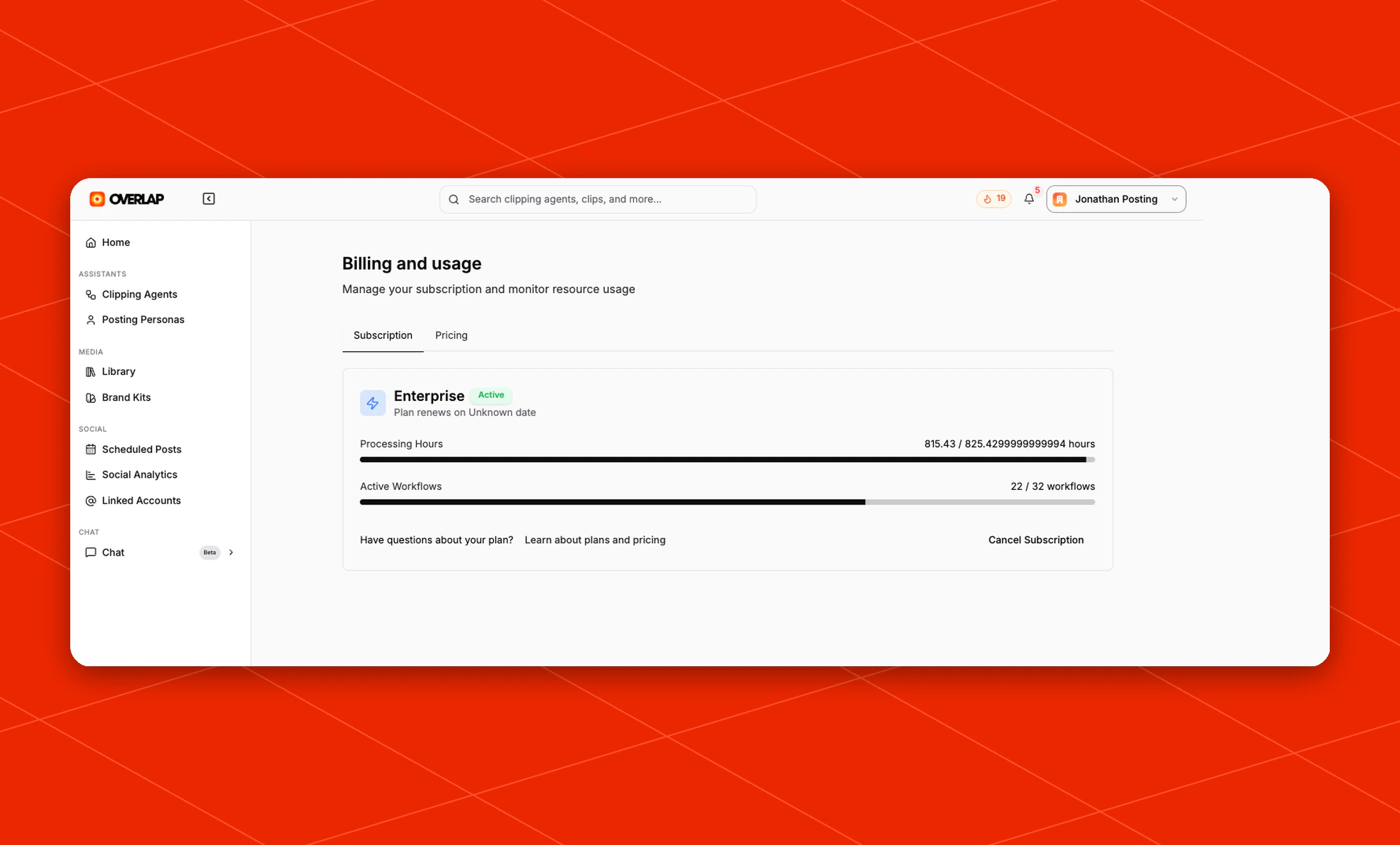
The **Billing and usage** page is where you manage your subscription and keep track of the resources your workspace is using.
 ## What you can do here
From this page, you can:
* Review your current subscription status
* See your renewal information
* Monitor your `Processing Hours` usage
* Monitor how many `Active Workflows` are currently in use
* Review and download past receipts
* Open plan and pricing information
* Cancel your subscription
## Subscription overview
The default **Subscription** tab gives you a quick snapshot of your current plan.
It includes:
* Your current plan name and active status
* Renewal details for the plan
* A usage bar for `Processing Hours`
* A usage bar for `Active Workflows`
* Quick actions for plan questions and billing changes
## Receipts
Use the **Receipts** tab to review paid invoices from your Overlap subscription and download receipt PDFs.
## Pricing and plan changes
The billing page also includes a **Pricing** tab alongside the subscription overview.
If you need more capacity, want to compare plans, or need help choosing the right setup for your team, start from this page.
## What you can do here
From this page, you can:
* Review your current subscription status
* See your renewal information
* Monitor your `Processing Hours` usage
* Monitor how many `Active Workflows` are currently in use
* Review and download past receipts
* Open plan and pricing information
* Cancel your subscription
## Subscription overview
The default **Subscription** tab gives you a quick snapshot of your current plan.
It includes:
* Your current plan name and active status
* Renewal details for the plan
* A usage bar for `Processing Hours`
* A usage bar for `Active Workflows`
* Quick actions for plan questions and billing changes
## Receipts
Use the **Receipts** tab to review paid invoices from your Overlap subscription and download receipt PDFs.
## Pricing and plan changes
The billing page also includes a **Pricing** tab alongside the subscription overview.
If you need more capacity, want to compare plans, or need help choosing the right setup for your team, start from this page.