> ## Documentation Index
> Fetch the complete documentation index at: https://docs.overlap.ai/llms.txt
> Use this file to discover all available pages before exploring further.
> Add an end card or outro music to clips in a workflow.
# Add outro
> Add finishing outro elements to each clip before the workflow exports it.
The **Add Outro** node is an editing action for adding an end card, outro music, or both. Use it near the end of the editing stage when clips should include a branded closing moment before they are sent to an export node.
### Schema
* **Input**: Video or clips from an upstream trigger or editing node
* **Output**: Clips with outro elements applied
## Add the node
Open **Workflows** from the left sidebar and click **New** to open the workflow builder.
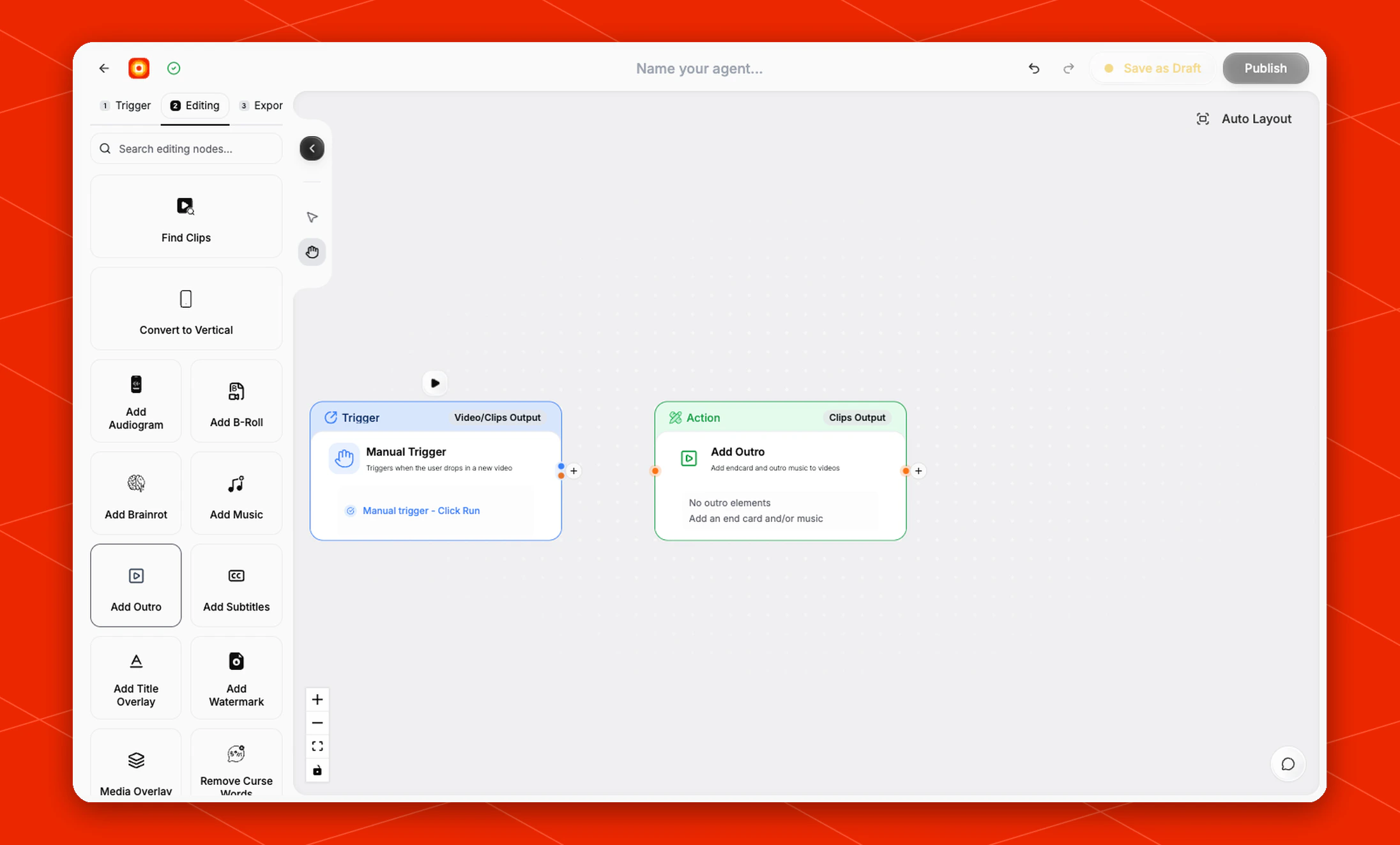
Add a trigger first, then continue in the **Editing** stage. Choose **Add Outro** from the editing node panel. Overlap adds an action node to the canvas and connects it to the workflow path.
Click the **Add Outro** node on the canvas whenever you need to check its current state.
 ## Configure the outro
The default node state is **No outro elements**. Add an end card, outro music, or both when the finished clips should include a closing visual or audio cue.
The node describes its action as **Add endcard and outro music to videos** and shows **Clips Output** on the canvas, so place it after the part of the workflow that creates or edits the clips you want to finish.
## Build the rest of the workflow
Use **Add Outro** after clip-producing or finishing nodes such as [Find Clips](/nodes/findclips), [Convert to Vertical](/nodes/reframe), [Add Subtitles](/nodes/subtitles), or [Add Watermark](/nodes/add-watermark).
Finish the workflow with an export node, then click **Publish** when the workflow is ready.
## Configure the outro
The default node state is **No outro elements**. Add an end card, outro music, or both when the finished clips should include a closing visual or audio cue.
The node describes its action as **Add endcard and outro music to videos** and shows **Clips Output** on the canvas, so place it after the part of the workflow that creates or edits the clips you want to finish.
## Build the rest of the workflow
Use **Add Outro** after clip-producing or finishing nodes such as [Find Clips](/nodes/findclips), [Convert to Vertical](/nodes/reframe), [Add Subtitles](/nodes/subtitles), or [Add Watermark](/nodes/add-watermark).
Finish the workflow with an export node, then click **Publish** when the workflow is ready.