> ## Documentation Index
> Fetch the complete documentation index at: https://docs.overlap.ai/llms.txt
> Use this file to discover all available pages before exploring further.
> Send workflow results by email after Overlap finishes processing them.
# Email
> Send the finished workflow output to email recipients.
The **Email** export node is for workflows that should notify people when processed clips or videos are ready. Use it at the end of a workflow when the result should land in an inbox instead of being posted directly to social.
### Schema
* **Input**: Finished workflow output from the previous node
* **Output**: An email notification or delivery step for the completed result
## Add the node
Open **Workflows** from the left sidebar and click **New** to open the workflow builder.
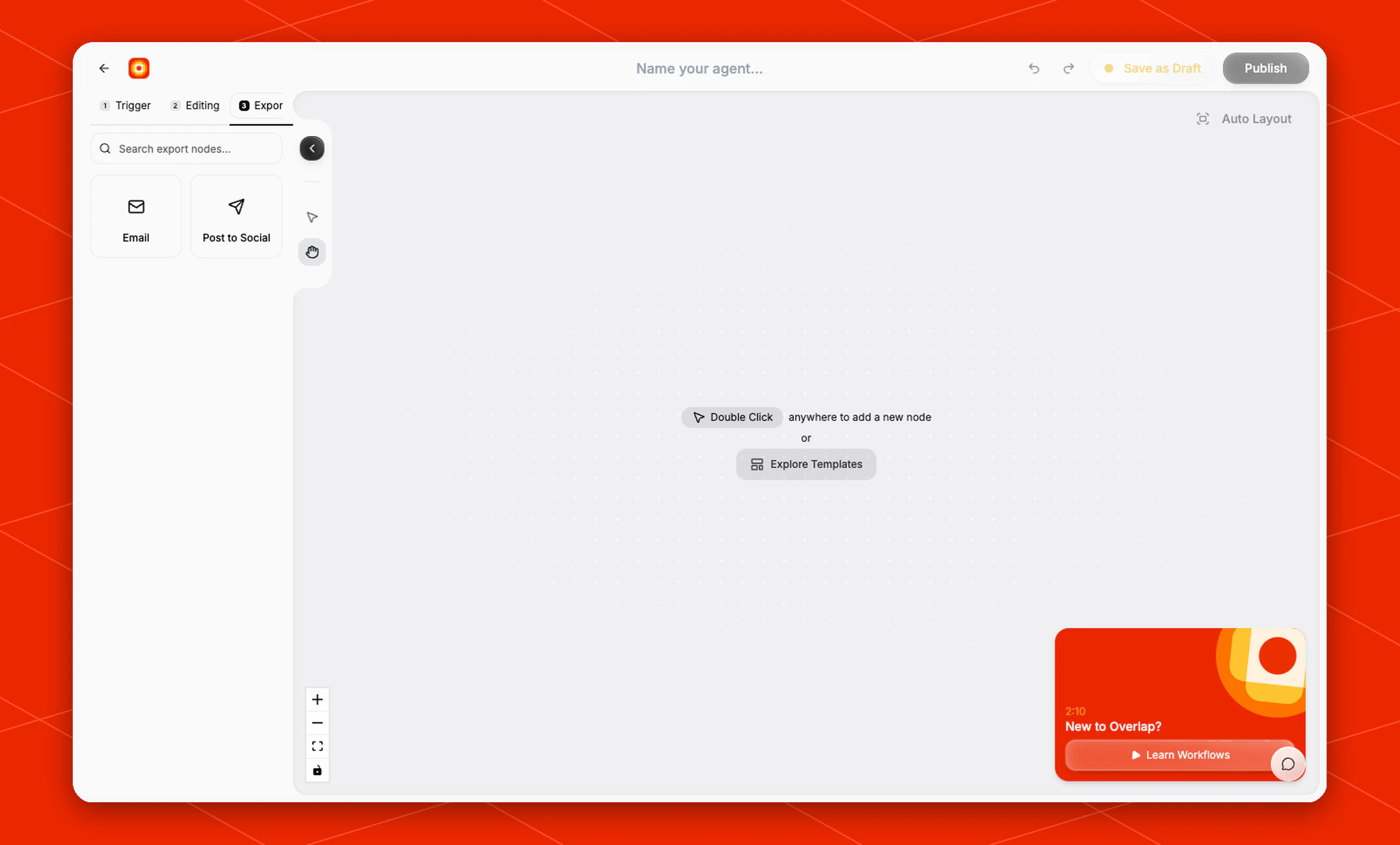
Build the trigger and editing steps first, then open the **Export** stage and choose **Email**. Overlap adds the Email node as the workflow destination.
 ## Configure the delivery
Use the Email node when the workflow should send the finished output to an inbox for review, approval, sharing, or handoff.
Because Email is an export node, place it after the editing nodes that create the assets you want delivered. For example, a workflow might run **Find Clips**, add **Subtitles**, then finish with **Email** so the completed clips are sent when the workflow run is done.
Organization administrators can turn off **Workflow email delivery** from Email Settings. When it is off, workflows continue processing, but Email nodes, completion emails, and workflow status emails do not send. An individual workflow cannot override the organization setting.
## Build the rest of the workflow
Email is usually the final node in the workflow. Before publishing, make sure the earlier nodes produce the clips, captions, reframes, or branded assets you want included in the delivery.
If the workflow should publish directly to connected social accounts instead, use [Post to Social](/nodes/autopost).
## Configure the delivery
Use the Email node when the workflow should send the finished output to an inbox for review, approval, sharing, or handoff.
Because Email is an export node, place it after the editing nodes that create the assets you want delivered. For example, a workflow might run **Find Clips**, add **Subtitles**, then finish with **Email** so the completed clips are sent when the workflow run is done.
Organization administrators can turn off **Workflow email delivery** from Email Settings. When it is off, workflows continue processing, but Email nodes, completion emails, and workflow status emails do not send. An individual workflow cannot override the organization setting.
## Build the rest of the workflow
Email is usually the final node in the workflow. Before publishing, make sure the earlier nodes produce the clips, captions, reframes, or branded assets you want included in the delivery.
If the workflow should publish directly to connected social accounts instead, use [Post to Social](/nodes/autopost).