> ## Documentation Index
> Fetch the complete documentation index at: https://docs.overlap.ai/llms.txt
> Use this file to discover all available pages before exploring further.
> Start a workflow by running it yourself with a video.
# Manual trigger
> Start a workflow on demand by dropping in a video instead of waiting for a source trigger.
The **Manual Trigger** is for workflows that should run only when you start them yourself. Use it for one-off videos, workflow tests, or any workflow that does not need to listen automatically for new YouTube, RSS, Dropbox, or livestream content.
### Schema
* **Input**: A video you manually provide when you run the workflow
* **Output**: Video/clips output for the rest of the workflow
## Add the node
Open **Workflows** from the left sidebar and click **New** to open the workflow builder.
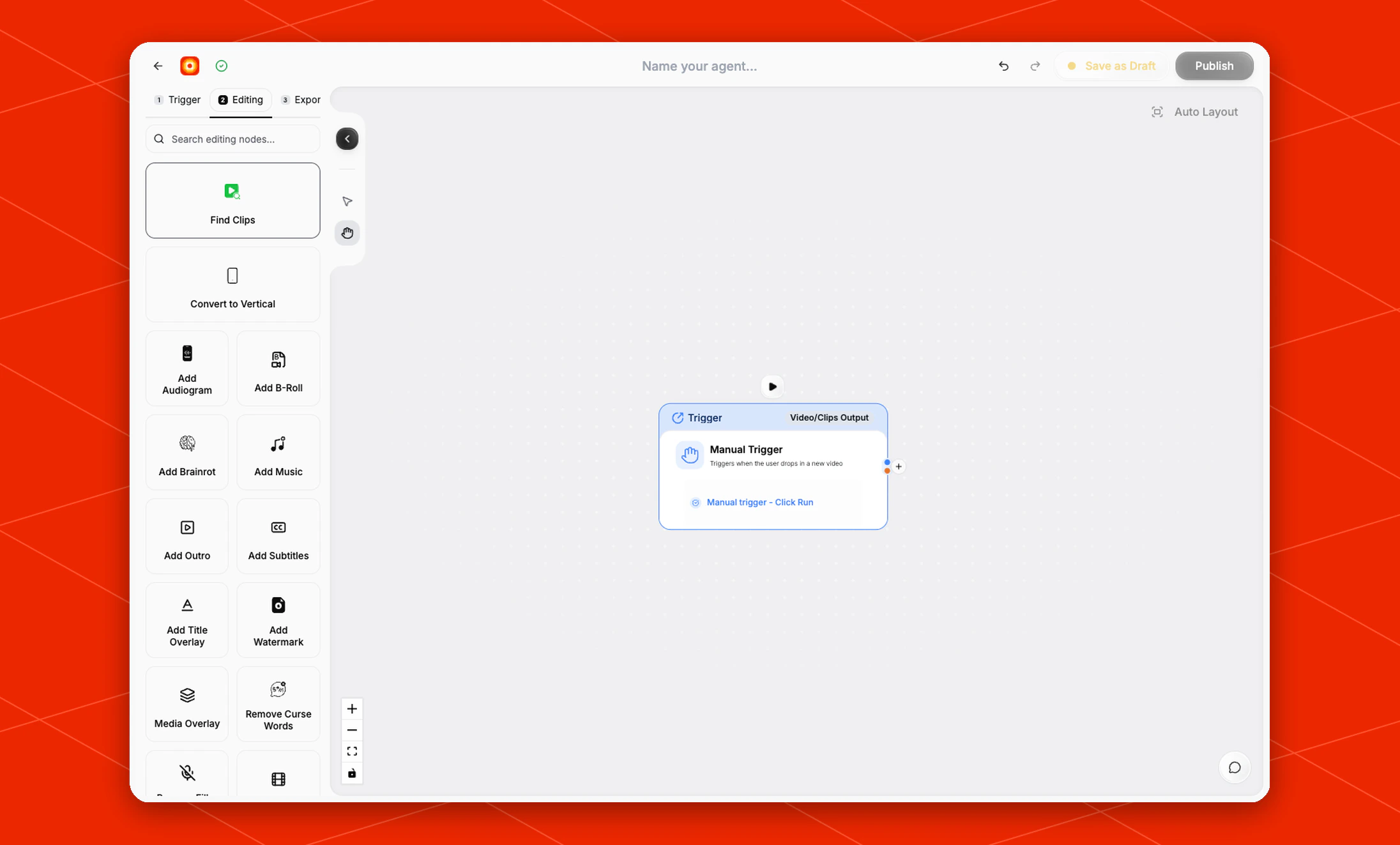
In the **Trigger** stage, choose **Manual Trigger**. Overlap adds the trigger node to the canvas, selects it, and moves the left panel forward to **Editing** so you can keep building the workflow.
 ## Configure the trigger
The current **Manual Trigger** node does not have a right-side settings panel or advanced settings. Its run action appears directly on the selected node as **Manual trigger - Click Run**.
Click **Manual trigger - Click Run** when you want to start the workflow with a video you choose manually.
## Build the rest of the workflow
After the trigger is in place, continue in **Editing** with nodes such as [Find Clips](/nodes/findclips), [Add Subtitles](/nodes/subtitles), or [Reframe](/nodes/reframe). Finish with an export node such as **Email** or **Post to Social** so each manual run has a clear destination.
## Configure the trigger
The current **Manual Trigger** node does not have a right-side settings panel or advanced settings. Its run action appears directly on the selected node as **Manual trigger - Click Run**.
Click **Manual trigger - Click Run** when you want to start the workflow with a video you choose manually.
## Build the rest of the workflow
After the trigger is in place, continue in **Editing** with nodes such as [Find Clips](/nodes/findclips), [Add Subtitles](/nodes/subtitles), or [Reframe](/nodes/reframe). Finish with an export node such as **Email** or **Post to Social** so each manual run has a clear destination.