
You pay your agreed rate for every 1,000 views your campaigns deliver, and never more than your monthly cap.
How billing works
- You pay for views delivered. Each view is billed at your CPM rate. For example, at a $5.00 CPM, 200,000 views cost $1,000.
- Each campaign is billed separately. Every campaign has its own invoices and its own monthly cap.
- Your cap is a hard limit. When a campaign reaches its monthly cap, it stops posting until the 1st of the next month. Views its existing posts earn after that aren’t billed.
- Nothing is charged at setup. You’re first billed once your campaign has delivered views.
When you’re billed
Delivered views count as not yet billed until an invoice is issued. A campaign gets an invoice when:- it reaches its monthly cap
- you pause it
- it ends
- a new month starts (on the 1st)
Views your posts earn while a campaign is paused aren’t billed. Billing picks up from the moment you resume.
What counts as a view
A view is what each platform reports as a view for your post. X and LinkedIn report impressions instead. Bluesky views aren’t billed. Platforms report on their own schedule. Some, such as TikTok, don’t report views until a day or two after a post goes out. Views are billed only once the platform has reported them, so a new post can show zero views for a while.The Billing page
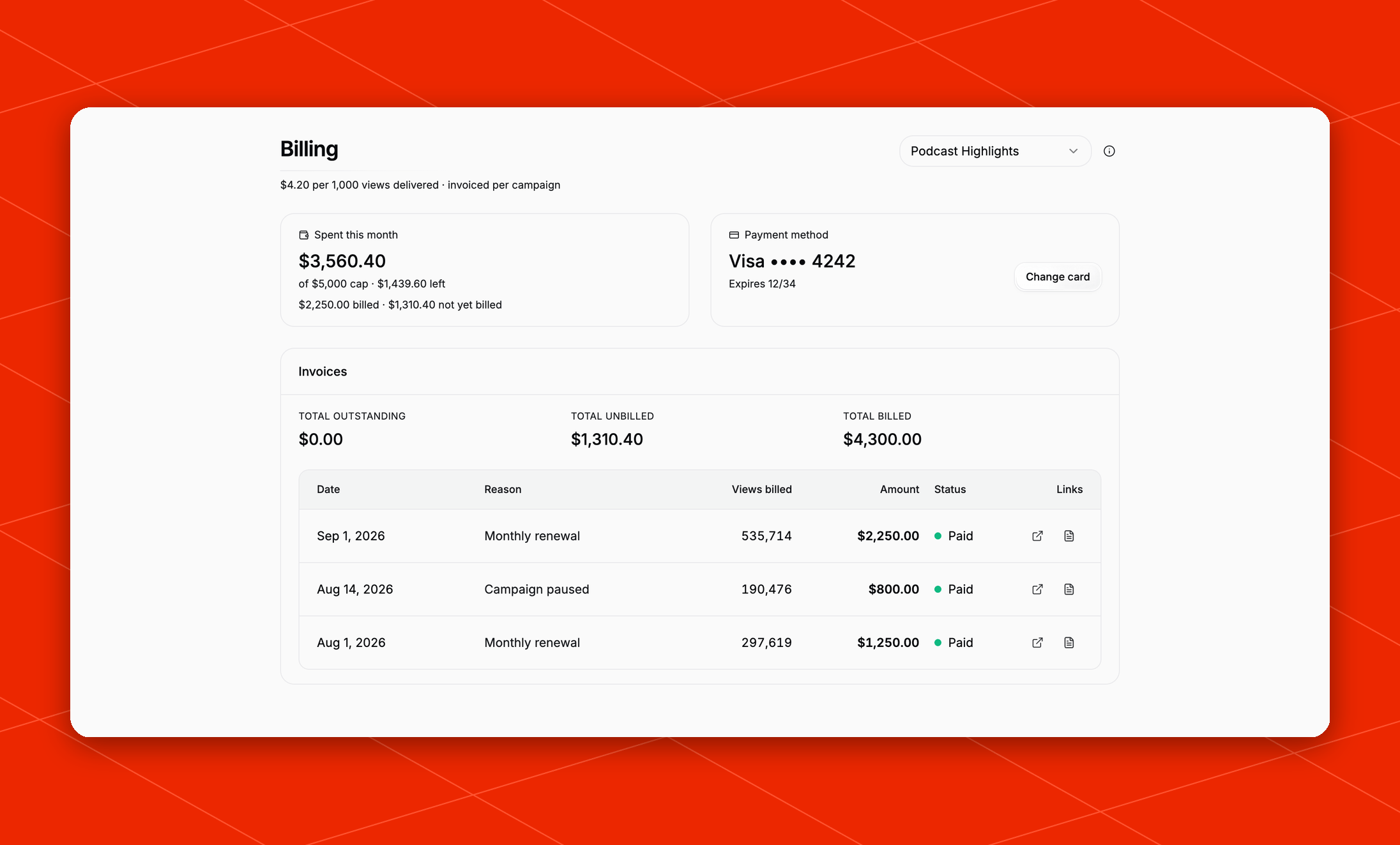
Spent this month
This tile shows the selected campaign’s spend for the month against its monthly cap:- how much of the cap is left
- how much has already been billed, and how much is not yet billed
- any amount awaiting payment
Payment method
If you pay by card, this tile shows your card on file and its expiry date. Click Change card to replace it, or Add card if there isn’t one. If you pay by invoice, this tile says Invoiced. Invoices go to your billing contact on your agreed terms.Invoices
The top of this section shows totals for the campaign: Total outstanding, Total unbilled, and Total billed. Below them, a table lists each invoice with its date, reason, views billed, amount, and status. Reasons:
Statuses:
Use the links on each row to view or pay the invoice online, see your receipt, or download a PDF.
Frequently asked questions
Why is the spend on the Posts tab different from my invoice?
Why is the spend on the Posts tab different from my invoice?
The spend shown for each post on the Campaigns page is an estimate. Invoices are based on the views each platform confirmed at billing time. Your invoices are the authoritative record.
Can I change my monthly cap or rate?
Can I change my monthly cap or rate?
Contact your Overlap team through Contact Support in the profile menu.
A payment failed. What should I do?
A payment failed. What should I do?
Open the invoice from the Invoices table and pay it online. To keep future charges from failing, click Change card and add a working card. If posting was paused for non-payment, it resumes once the invoice is paid.