
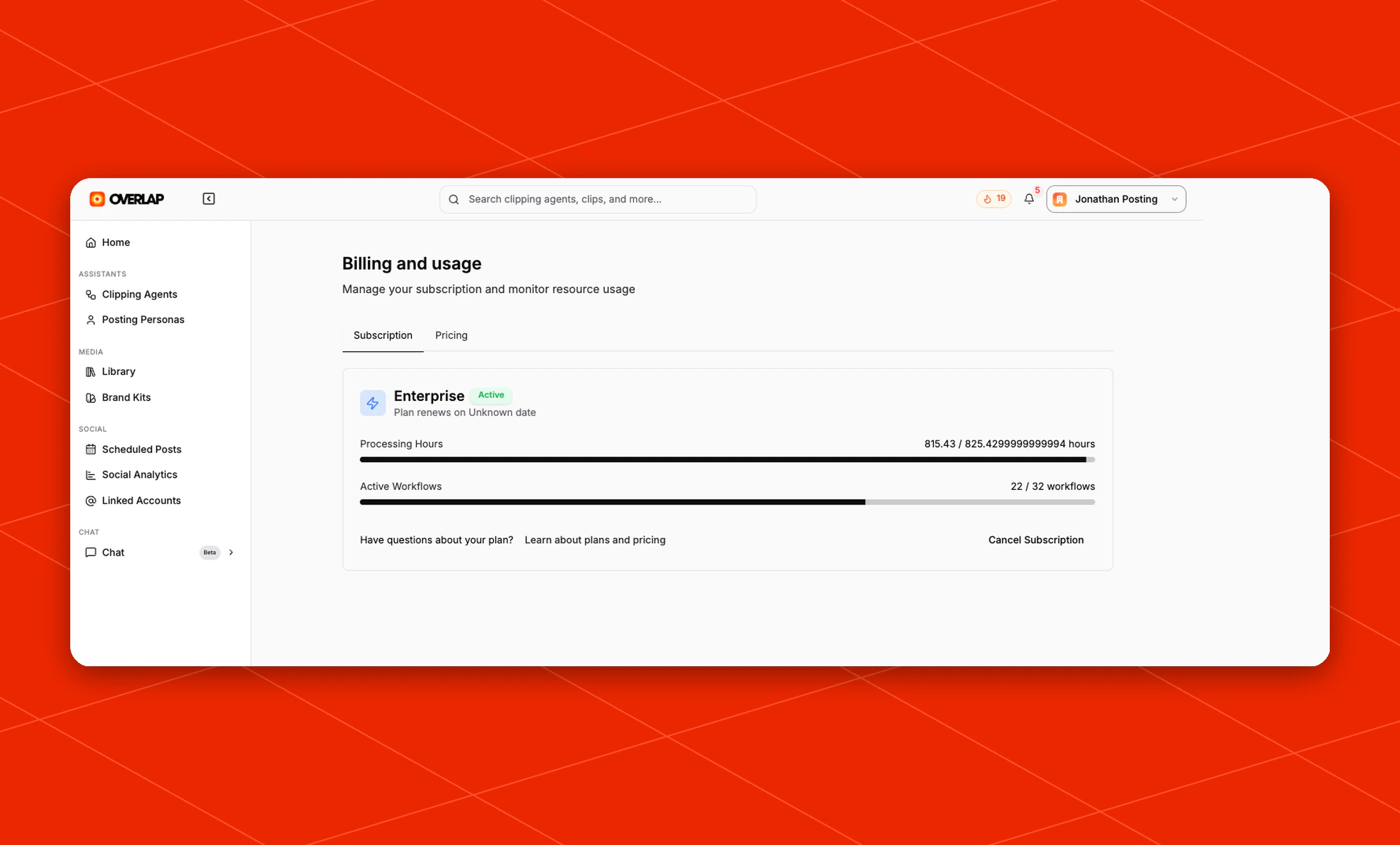
What you can do here
From this page, you can:- Review your current subscription status
- See your renewal information
- Monitor your
Processing Hoursusage - Monitor how many
Active Workflowsare currently in use - Review and download past receipts
- Open plan and pricing information
- Cancel your subscription
Subscription overview
The default Subscription tab gives you a quick snapshot of your current plan. It includes:- Your current plan name and active status
- Renewal details for the plan
- A usage bar for
Processing Hours - A usage bar for
Active Workflows - Quick actions for plan questions and billing changes
Processing Hours are used up, workflows that listen to a YouTube channel or playlist hold new videos instead of failing, and run them automatically once hours are available. See New YouTube Video.