
Start a workflow automatically when a YouTube channel or playlist publishes a matching video.The New YouTube Video trigger is for always-on workflows that should watch a YouTube source and send new videos into the rest of your workflow. Use it when a channel or playlist should start the workflow for you. If you want to run one video by hand, use Manual Trigger instead.
Schema
- Input: A YouTube channel URL or playlist URL
- Output: The new YouTube video that starts the workflow
Add the node
Open Workflows from the left sidebar and click New to open the workflow builder. In the Trigger stage, choose New YouTube Video. Overlap adds the trigger node to the canvas, selects it, and moves the left panel forward to Editing so you can continue building the workflow. Click the New YouTube Video node on the canvas whenever you need to reopen its settings on the right side.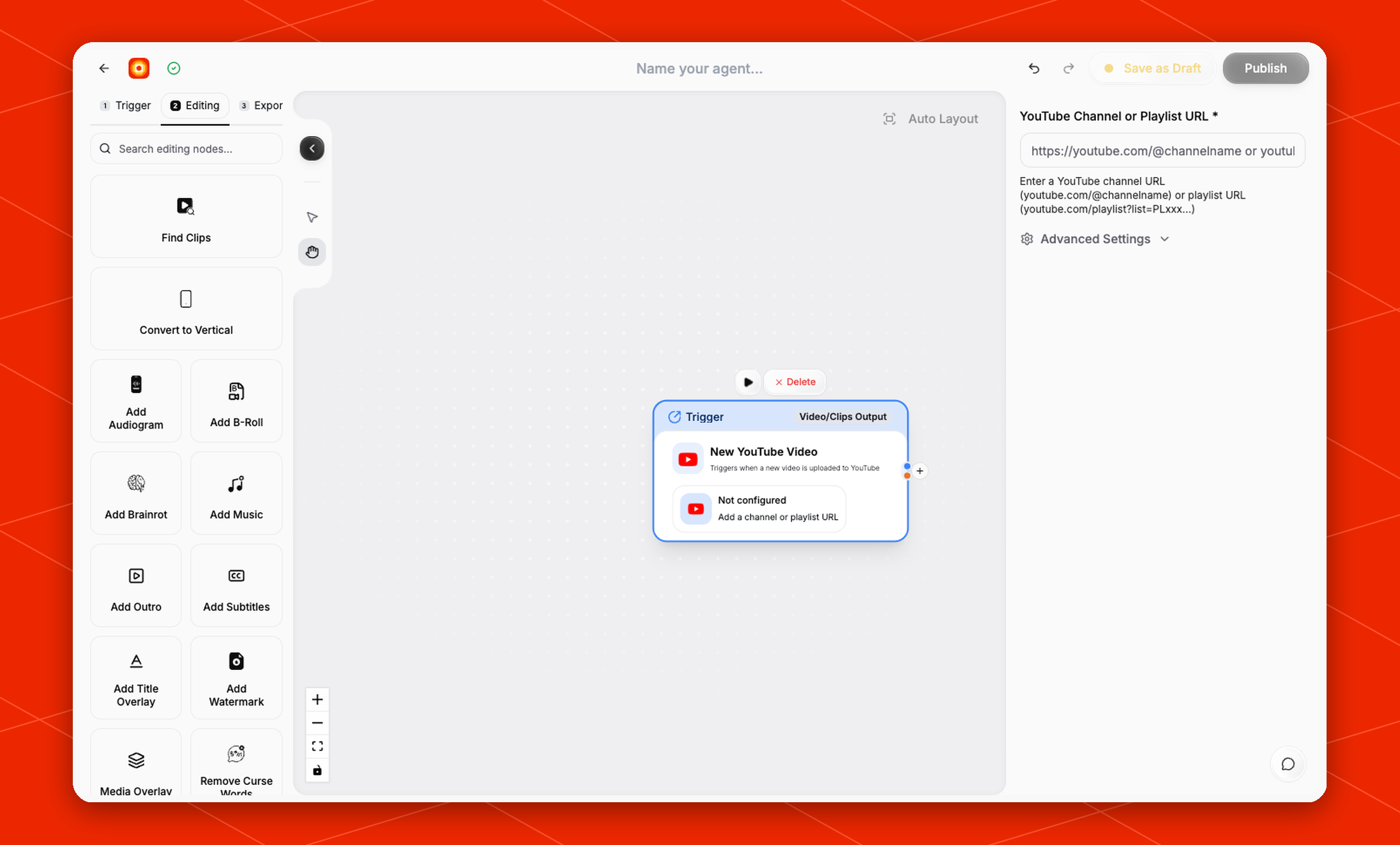
Configure the source
In the right-side settings panel, fill in YouTube Channel or Playlist URL. The field accepts:- a channel URL, such as
https://youtube.com/@channelname - a playlist URL, such as
https://youtube.com/playlist?list=PLxxxx...
Advanced settings
Expand Advanced Settings to control which videos are allowed to start the workflow.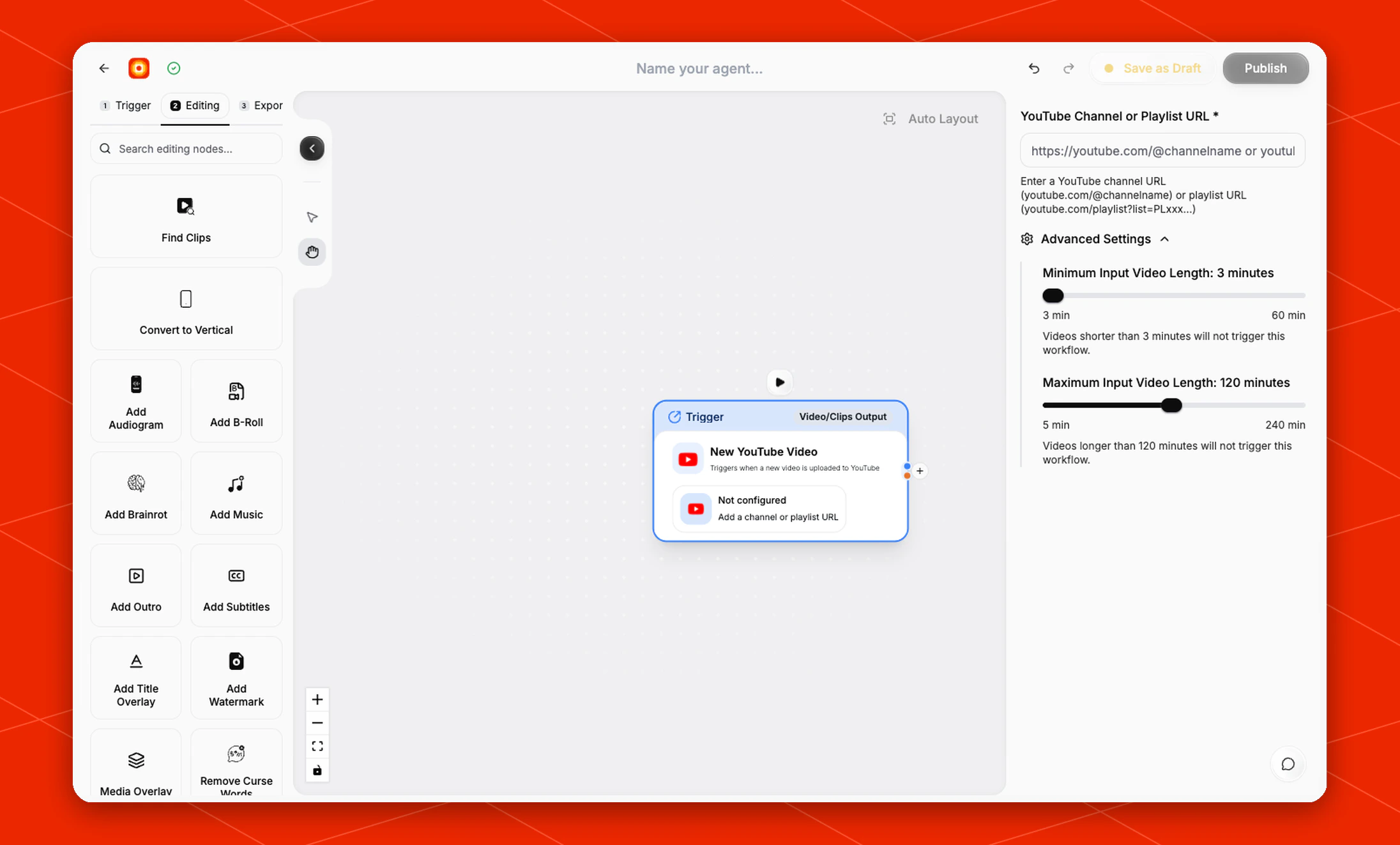
- Minimum Input Video Length: defaults to
3 minutes. Videos shorter than this will not trigger the workflow. - Maximum Input Video Length: defaults to
120 minutes. Videos longer than this will not trigger the workflow.