
Remove speech clutter and transcript punctuation before the workflow moves on to finishing or export.The Remove Filler Words node is an Editing action node for cleaning up spoken content in a workflow. Use it after the workflow has a video or clips to process, and before any downstream node that should use the cleaned result.
Schema
- Input: Video or clips from an earlier workflow node
- Output: Video/clips output with the selected cleanup options applied
Add the node
Open Workflows from the left sidebar and click New to open the workflow builder. Add a trigger or source node first. When the builder moves to the Editing stage, choose Remove Filler Words from the left node panel. Overlap adds it as an action node on the canvas. Click the Remove Filler Words node on the canvas whenever you need to reopen its settings on the right side.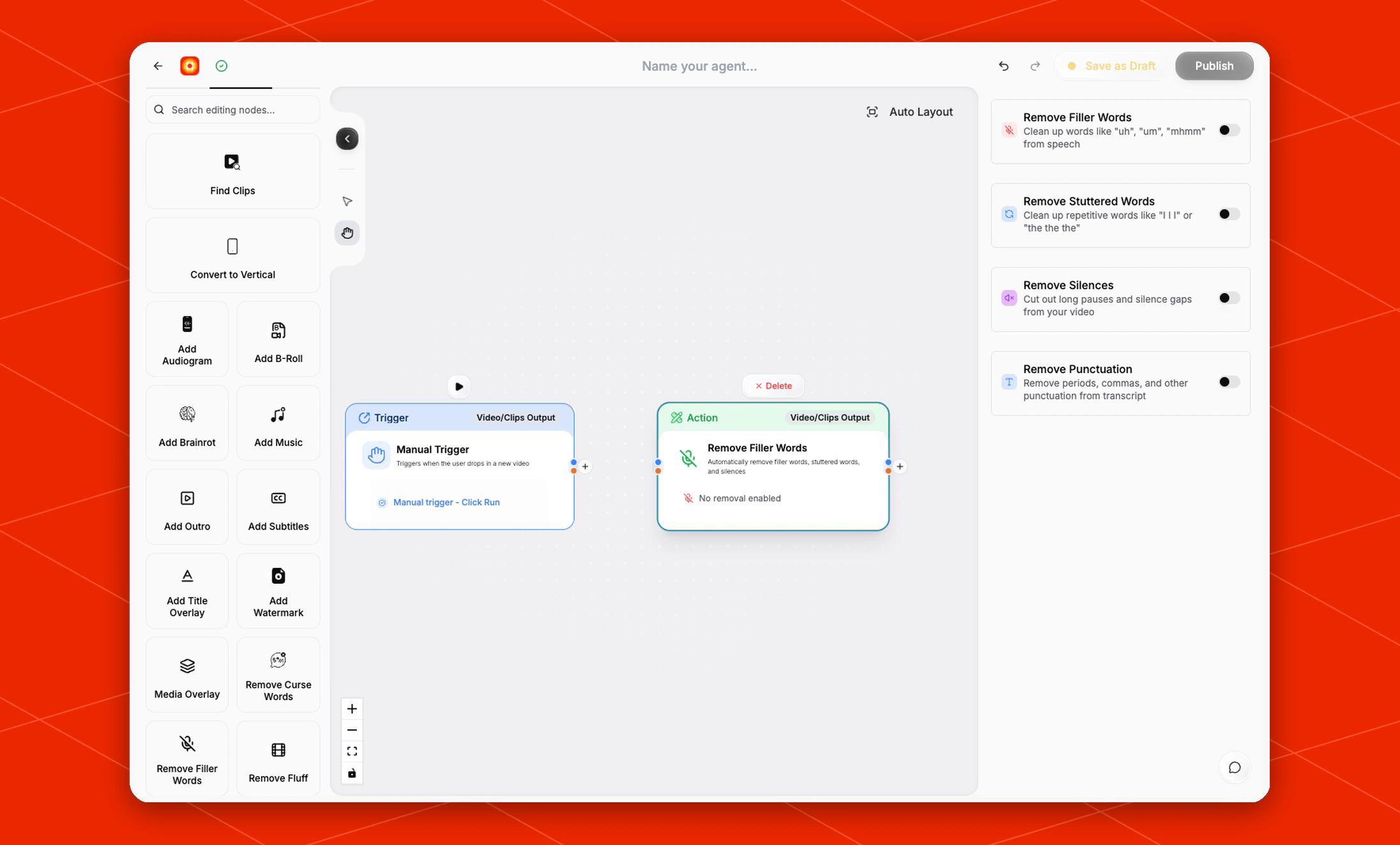
Choose what to remove
All cleanup options are off by default. Turn on only the passes you want this workflow to run.- Remove Filler Words: Clean up words like
uh,um, andmhmmfrom speech. - Remove Stuttered Words: Clean up repetitive words like
I I Iorthe the the. - Remove Silences: Cut out long pauses and silence gaps from your video.
- Remove Punctuation: Remove periods, commas, and other punctuation from the transcript.
Place it in the workflow
Place Remove Filler Words after the node that produces the video or clips you want to clean. For a clip workflow, a common order is:- Find Clips -> Remove Filler Words -> Style Video -> export