Documentation Index
Fetch the complete documentation index at: https://docs.overlap.ai/llms.txt
Use this file to discover all available pages before exploring further.
Add a media overlay on top of every video or clip that reaches this node.
The Image Overlay page documents the Media Overlay node in the workflow builder. Use it when you want to place an uploaded image or video over the source video, such as a full-screen frame, a visual treatment, or another reusable media layer.
Schema
- Input: Video or clips from an upstream trigger or editing node
- Output: Video or clips with a media overlay applied
Add the node
Open Workflows from the left sidebar and click New to open the workflow builder.
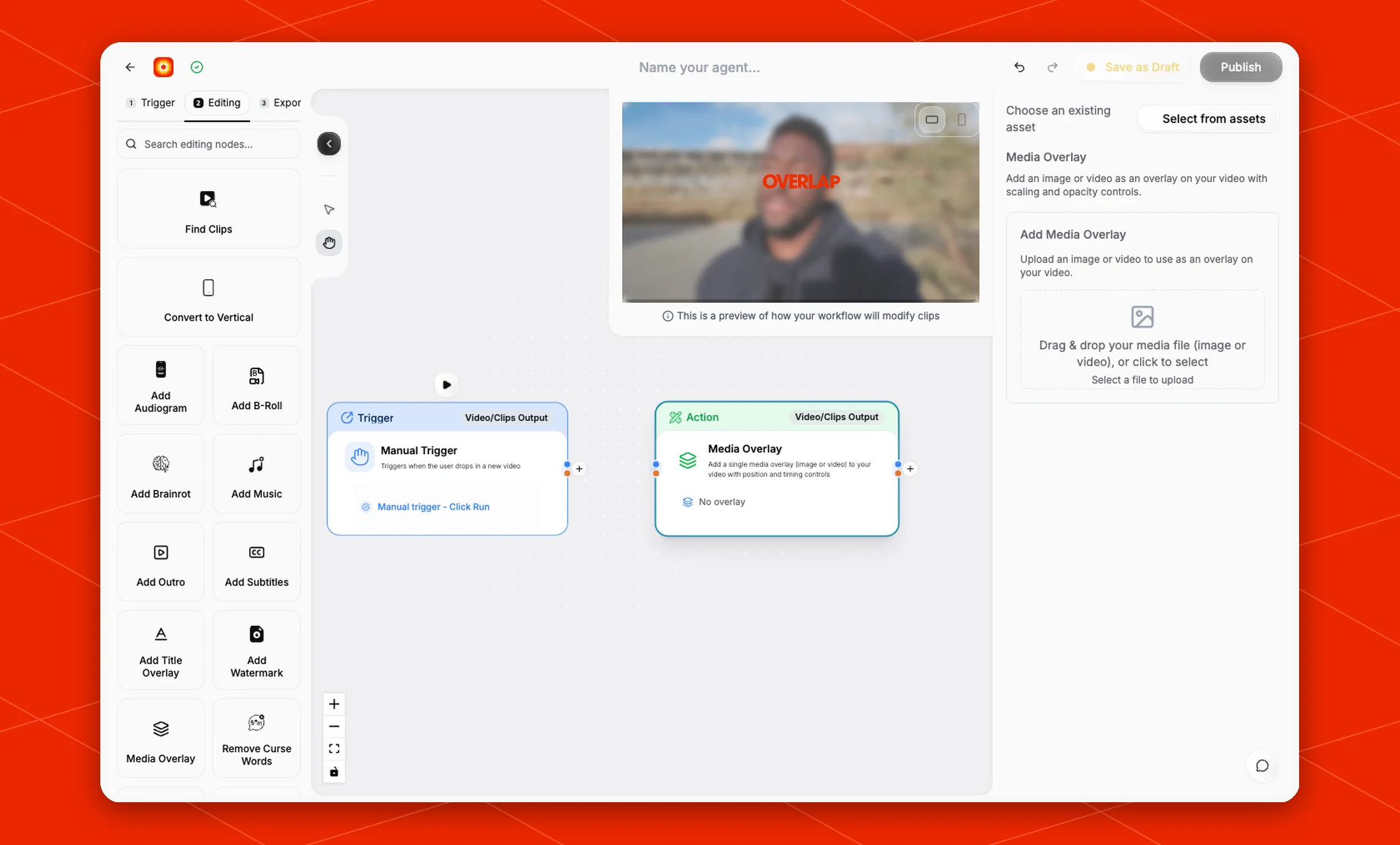
Add a trigger first, such as Manual Trigger or New YouTube Video. In the Editing stage, choose Media Overlay. Overlap adds the action node to the canvas and connects it to the workflow path.
Click the Media Overlay node on the canvas whenever you need to reopen its settings on the right side.
Choose an overlay asset
Use Select from assets when the overlay file already exists in your workspace.
To upload a new file, use Add Media Overlay in the settings panel. The upload area accepts an image or video file by drag and drop, or you can click the upload area to select a file from your computer.
Until a file is selected, the node shows No overlay on the canvas.
The current settings panel describes Media Overlay as a way to add an image or video overlay with scaling and opacity controls. The node card also describes position and timing controls for the selected overlay.
Use these controls to place the overlay where it should appear in the clip, size it for the video format, and tune how strongly it appears over the source footage.
Build the rest of the workflow
Place Media Overlay after the node that provides the video or clips you want to modify. A common flow is Manual Trigger -> Find Clips -> Media Overlay -> Add Subtitles -> Post to Social.
Use Add Watermark when you only need a watermark-style brand mark. Use Add Title Overlay when you want generated text instead of an uploaded media file.