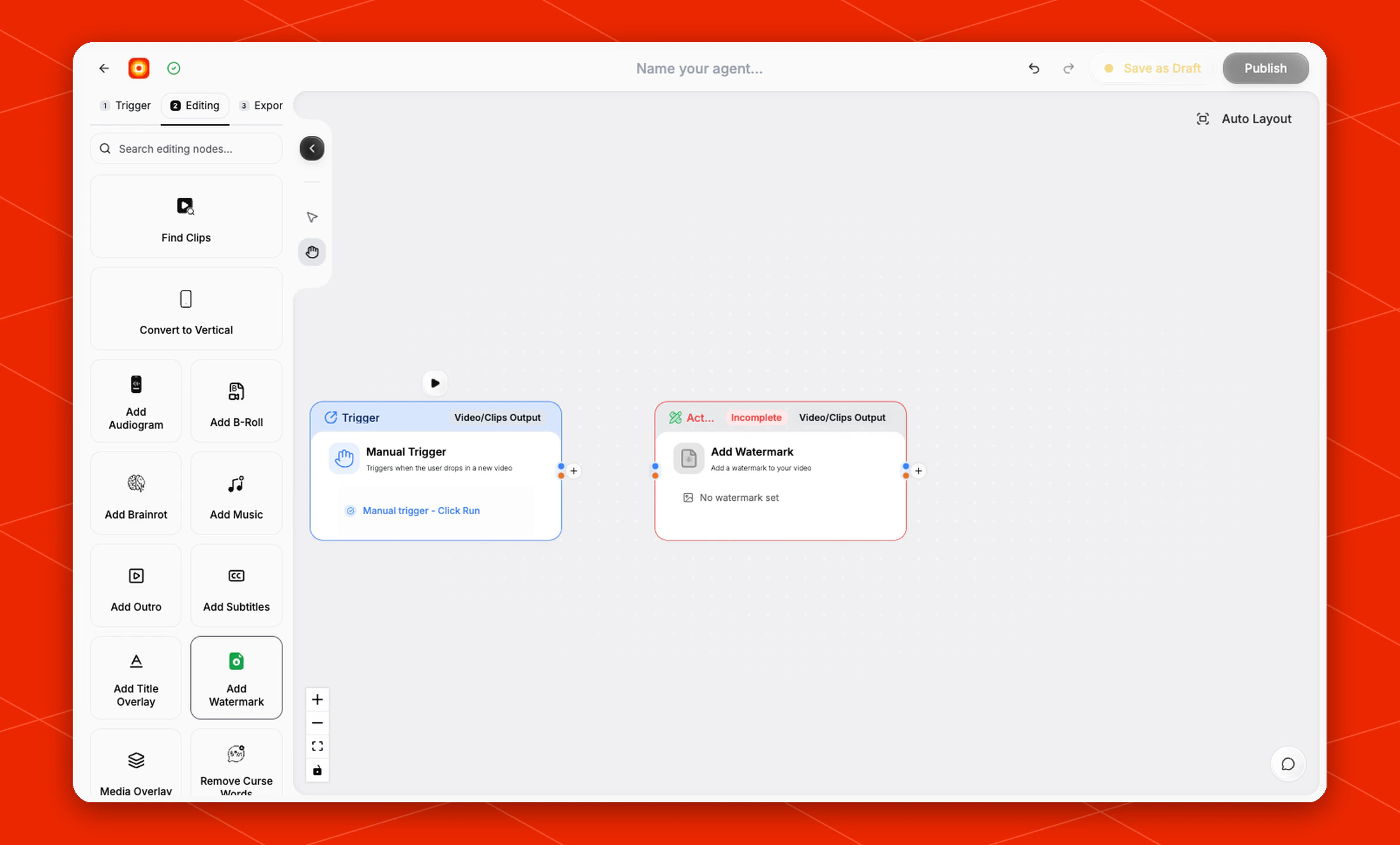
Deprecated but supported: Existing Add Watermark nodes remain editable
and executable. For new workflows, add one or more watermark layers in
Style Video.
Add a watermark to every video or clip that reaches this node.
The Add Watermark node is an editing action for applying a brand mark, logo, or other watermark asset before export.
Schema
- Input: Video or clips from an upstream trigger or editing node
- Output: Video or clips with a watermark applied
Open an existing node
Open a workflow that already contains Add Watermark, then click the node on
the canvas to reopen its settings. The node is no longer available as a new
palette addition; use Style Video in new workflows.
The node starts in an Incomplete state until a watermark is selected. The default card shows No watermark set.
Choose the watermark
Click No watermark set on the node to choose the watermark asset for the workflow.
Use a clean brand image that is ready to be layered on top of the video. Transparent PNG files work best when you want only the logo or mark to appear over the clip.
If the image has a solid background, that background will appear in the finished video.
Build the rest of the workflow
When maintaining an existing workflow, keep Add Watermark after the node
that provides the clips to brand. A common legacy flow is Manual Trigger
-> Find Clips -> Add Watermark -> Post to Social.
Finish the workflow with an export node, then click Publish when the workflow is ready.